Upscayl – Linux、MacOS、Windows向けの無料かつオープンソースのAI画像アップスケーラー。
ダウンロード
GitHub – upscayl/upscayl: 🆙 Upscayl – #1 Linux、MacOS、Windows向けの無料かつオープンソースのAI画像アップスケーラー。
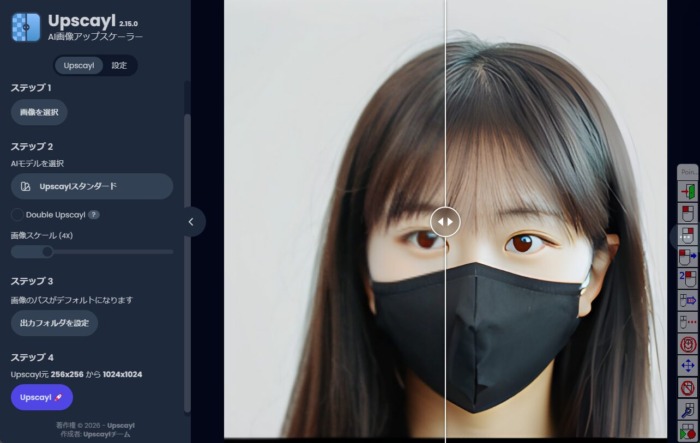
画像を選択した後 モデルと出力フォルダーと指定しスケールを指定し実行します
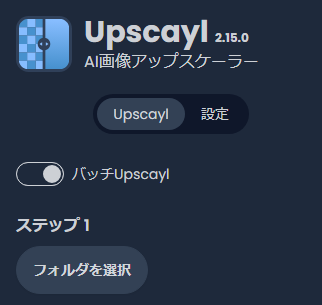
一括処理
フォルダーを指定します
コマンドライン
Usage: upscayl-bin -i infile -o outfile [options]...

  -h                   show this help
  -i input-path        input image path (jpg/png/webp) or directory
  -o output-path       output image path (jpg/png/webp) or directory
  -z model-scale       scale according to the model (can be 2, 3, 4. default=4)
  -s output-scale      custom output scale (can be 2, 3, 4. default=4)
  -r resize            resize output to dimension (default=WxH:default), use '-r help' for more details
  -w width             resize output to a width (default=W:default), use '-r help' for more details
  -c compress          compression of the output image, default 0 and varies to 100
  -t tile-size         tile size (>=32/0=auto, default=0) can be 0,0,0 for multi-gpu
  -m model-path        folder path to the pre-trained models. default=models
  -n model-name        model name (default=realesrgan-x4plus, can be realesr-animevideov3 | realesrgan-x4plus-anime | realesrnet-x4plus or any other model)
  -g gpu-id            gpu device to use (default=auto) can be 0,1,2 for multi-gpu
  -j load:proc:save    thread count for load/proc/save (default=1:2:2) can be 1:2,2,2:2 for multi-gpu
  -x                   enable tta mode
  -f format            output image format (jpg/png/webp, default=ext/png)
  -v                   verbose output

C:\app\upscayl\resources\bin\upscayl-bin.exe -i Y:\output_folder4\ -o Y:\output_folder5\  -m C:\app\upscayl\resources\models  -n upscayl-standard-4x